Skelta Workflow.NET uses resource handlers to query the resources, and extract the properties. The resource handler can get information from any source like database, active directory, LDAP etc. The resource handler should inherit the IResource abstract class. A resource handler should implement the QueryResource () and the GetResource () methods, and initialize and populate the ResourceProperties field.
Workflow.NET provides a default database handler. This database handler can be used for all the applications that get the resource information from the database. This resource handler has to be configured for the application in the WorkflowNET.Config.xml file.
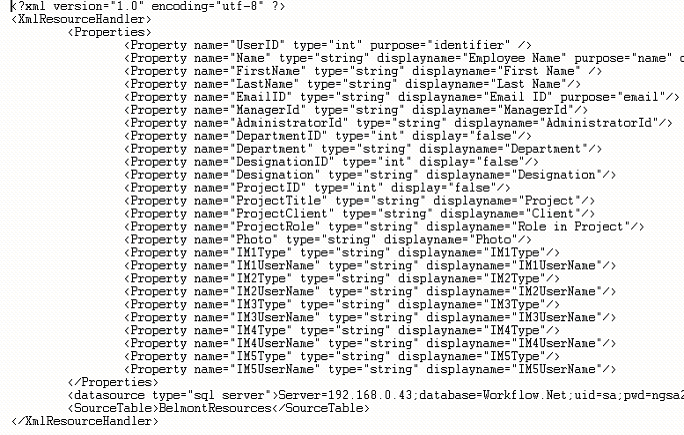
Note The name of the property in the XML file has to be the same as the field name in the view.
A sample Resource Properties Configuration XML file is shown below