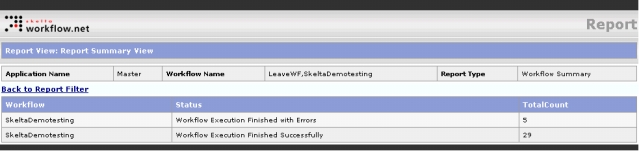
The Report View: Report Summary View screen is displayed when you select any of the three Summary Report options in the Report Type drop down and click on Proceed>> . This screen displays a summary report corresponding to the selected option.
Three types of summary reports are displayed in the Summary Report screen.
All the reports have header fields at the top showing general information like Application Name, Workflow Name and Report Type. These fields show values that are set in the Report control properties. The three reports display summary information in identical sets of fields – Workflow, Status, and Total Count.
The Workflow Summary report displays the summary information about workflows such as the status and the total count in each status.
Workflow Summary Screen
The Action Summary report displays action summary information including the different actions and the total number of each action.
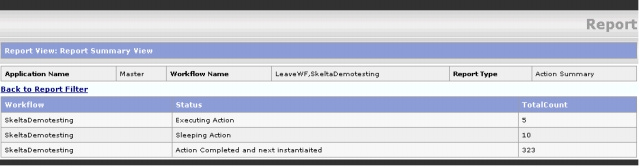
Action Summary Screen
The Resource Summary report displays resource summary information such as the number of resource actions completed, waiting etc.

Resource Summary Screen